
 // Web version live · Apps coming soon
Send files to the device
right next to you.
FileBlaster sends photos, videos, documents and whole folders straight from one device to another, between Android, iPhone, iPad, Mac and Windows. No cloud, no accounts, no cables. Your files go only to the device you pick, encrypted all the way.
- Android 10+
- iOS 17+ · macOS 14+
- Windows 10 & 11
- No data collection
- Web: fileblaster.app
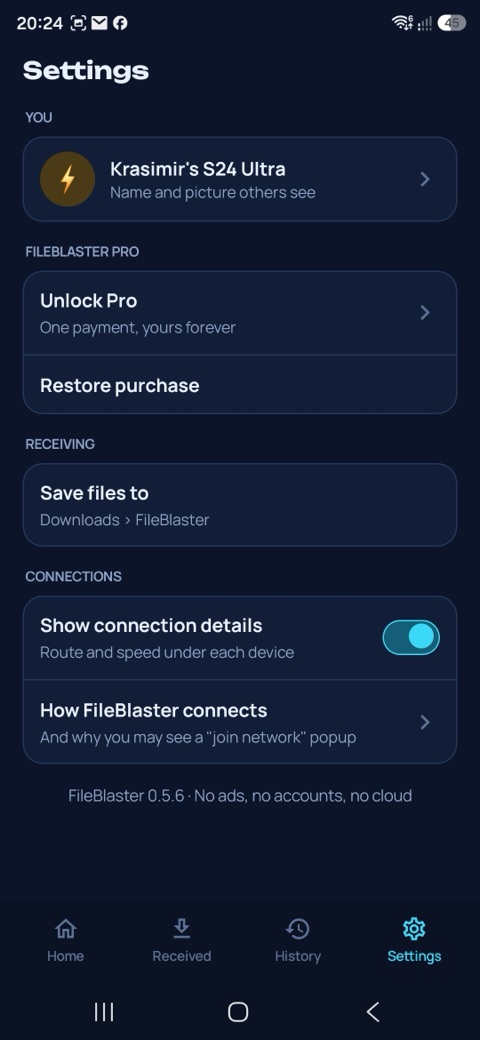
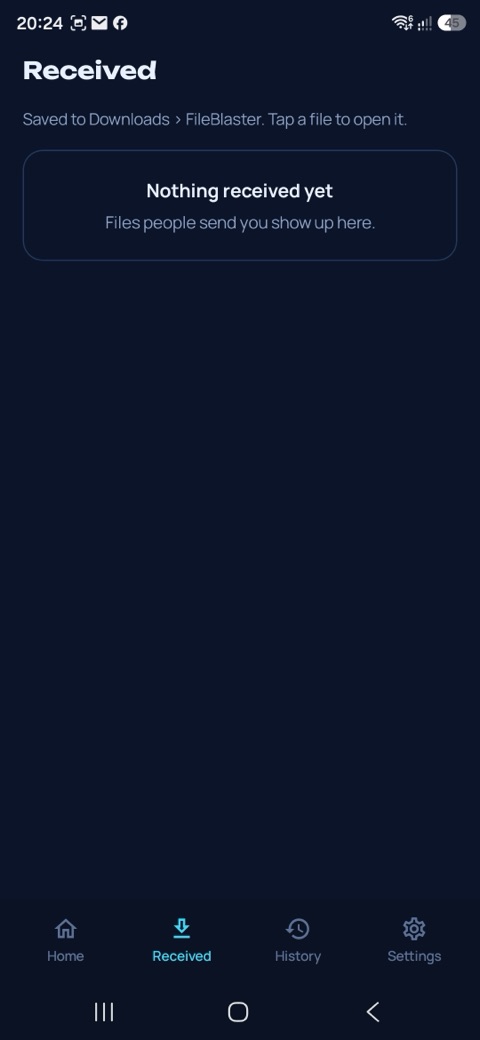
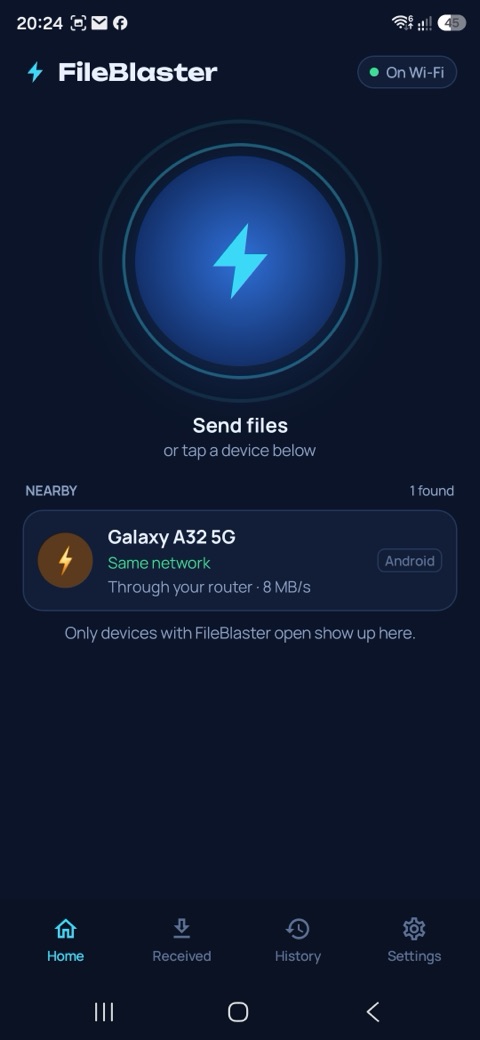
Any device to any device
Open FileBlaster on two devices and they find each other. Pick your files, pick a device, and they arrive at full local speed, with nothing uploaded anywhere on the way.
Android, iPhone, iPad, Mac and Windows all talk to each other. Send from a phone to a laptop, a laptop to a tablet, or anything in between.
Files travel straight from one device to the other over your Wi-Fi. There is no FileBlaster server, no sign-up and nothing to log in to.
Not on the same network, or no network at all? FileBlaster finds the other device over Bluetooth and sets up a private Wi-Fi link just for that transfer.
Every connection is encrypted with fresh keys made on the two devices. Anyone else on the network sees only scrambled data.
The receiver sees who is sending, which files and how big they are, and taps Accept or Decline. No pairing codes, nothing lands without your OK.
Large transfers pick up where they stopped if the connection drops. Free sends files up to 100 MB each. A one-time Pro unlock removes the limit and adds whole folders and sending to several devices at once.
Straight across. Nowhere else.
Your files never leave the two devices taking part in the transfer.
While FileBlaster is open on screen it looks for other FileBlaster devices nearby, over your Wi-Fi and Bluetooth. Close it and it stops.
Choose photos, videos, documents or a folder, then tap the device you want. FileBlaster picks the fastest route on its own.
The other person sees your device name and the file list. Nothing is sent until they accept.
The files travel encrypted from your device to theirs and are saved in a FileBlaster folder there. Nothing passes through the internet.
Privacy Policy
This policy applies to the FileBlaster apps for Android, iPhone, iPad, Mac and Windows, and to the kbis.dev/fileblaster page.
FileBlaster sends files directly between your own devices and the devices of people near you. It has no servers, no accounts and no cloud storage. The developer never receives your files or any information about you.
This policy covers the FileBlaster apps. The free FileBlaster website at fileblaster.app has its own privacy policy at fileblaster.app/privacy. The website shows ads; the apps never do.
The developer collects no personal data of any kind. FileBlaster does not contact any server run by the developer or anyone else, so there is nowhere for your data to go.
To work, the app keeps a few things only on your own device:
- The device name you choose when you first open the app.
- A random device identifier and encryption keys, created on your device when the app is installed.
- Your transfer history: file names, sizes, the other device's name and the time of each transfer.
- Your settings, and on some devices a small technical log used for troubleshooting.
None of this ever leaves your device, except as described under "What nearby devices see" below. Uninstalling the app removes it.
So that devices can find each other, FileBlaster announces itself to other FileBlaster apps nearby, on your local network and over Bluetooth, only while the app is open on screen. The announcement contains your chosen device name, the type of device (for example Android or Windows), a random identifier, the device's local network address and which connection types it supports.
When you send files, the receiver sees your device name and the names, number and total size of the files before deciding whether to accept them.
Files go directly from the sending device to the receiving device, over your local Wi-Fi network or over a private Wi-Fi link between the two devices. They never pass through the internet or any server, and the developer never sees them.
Every connection is encrypted with keys created fresh on the two devices (ECDH key agreement and AES-256-GCM), so other devices on the same network cannot read what is sent. Received files are saved in a FileBlaster folder on the receiving device, where only that device's owner controls them.
When two devices are not on the same Wi-Fi network, one of them creates a temporary private Wi-Fi network for that transfer, protected by a random password made for that transfer only. The other device joins it (an iPhone or iPad asks you to tap Join first) and forgets it afterwards.
On Windows, if your current Wi-Fi network does not allow a private link alongside it, FileBlaster asks before briefly disconnecting from it, and reconnects automatically when the transfer ends. If FileBlaster turned Bluetooth on for you, with your permission, it turns it off again when you close the app.
- Bluetooth / Nearby devices: to find FileBlaster devices that are not on your Wi-Fi network.
- Local network: to find devices on your Wi-Fi and send files to them.
- Location (Android 10 to 12 only): older Android versions require this permission for Bluetooth and Wi-Fi scanning. FileBlaster never reads, stores or shares your location.
- Notifications: to show transfer progress and incoming requests.
- Files and photos: only the files and folders you pick to send are read, and received files are written to the FileBlaster folder.
FileBlaster Pro is a one-time purchase made through Google Play, the App Store or the Microsoft Store. The store handles the payment under its own privacy policy. The developer never receives your card or payment details; the app only checks with the store whether Pro is unlocked on your account.
FileBlaster contains no analytics, tracking or advertising of any kind, and includes no third-party SDKs. Nothing about how you use the app is recorded or reported. If you have allowed it in your device settings, Google, Apple or Microsoft may share anonymous crash statistics with the developer under their own policies.
Because FileBlaster collects no data from anyone and requires no account, it is safe for users of any age.
The developer holds no personal data about you, so there is nothing to access, correct or delete on the developer's side. You can delete received files at any time, and uninstalling the app removes your transfer history and everything else it stored.
If this policy ever changes, the updated version will be published on this page with a new effective date.
Questions about privacy? Contact the developer at kb.interactive.systems@gmail.com or via LinkedIn.
Developer: Krasimir Borisov · KBIS.dev · Solihull, UK